
Download Dukhan Mobile – Android Banking App, Secure Mobile Banking, Biometric Login, Financial Management Tool
Overview
The Dukhan Mobile app is a dedicated banking solution designed for Android users, developed by Dukhan Bank to streamline financial management through a mobile-first approach. It serves individuals seeking a secure, intuitive platform to perform essential banking tasks without visiting a physical branch. The app enables users to manage accounts, execute transfers, apply for credit, and access financial services such as bill payments, card issuance, and reward point redemption.
It is particularly suited for tech-savvy consumers and digital banking adopters who value convenience and security. The application is built around the concept of financial autonomy, allowing users to open accounts, manage family accounts, and handle transactions like cardless cash withdrawals and standing orders—all from their smartphones. Real-world use cases include remote financial planning, emergency fund access, and managing recurring payments for utilities like Ooredoo and Kahramaa.
The app’s design emphasizes speed and simplicity, reducing the time and effort traditionally required for banking operations. While the developer is identified as Dukhan Bank, no additional background on the organization’s history or global presence was provided. The app is exclusively available on Android devices, targeting users in regions where Dukhan Bank operates.
Key Features & Capabilities
- Two-Factor Biometric Login – Ensures secure access using biometric authentication combined with a secondary verification step, protecting user accounts from unauthorized access.
- Account Management – Allows users to view, open, and manage personal or child accounts directly from the app interface.
- IBAN Viewing and Sharing – Enables users to instantly access and securely share their IBAN for payments or transfers.
- Cardless Cash Withdrawals – Supports cash withdrawals at ATMs without a physical card, using mobile authentication.
- Credit Card Services – Offers the ability to issue, replace, and manage credit cards, including tracking and redeeming reward points.
- Bill Payments – Facilitates payments for services such as Ooredoo, Kahramaa, and Vodafone through a unified interface.
- Money Transfers – Supports transfers via Western Union and credit card-based transactions.
- Standing Orders – Allows users to set up recurring payments for regular expenses.
- Remote Account Opening – Simplifies the process of opening a new account using only an ATM card number and PIN.
These features collectively empower users to conduct most financial operations remotely, reducing dependency on physical branches. For example, a user can initiate a transfer to a family member abroad using Western Union, verify it via biometric login, and confirm the transaction—all within minutes. Similarly, a parent can manage a child’s account and set up a standing order for school fees without leaving home. The app’s integration of multiple financial functions into a single interface enhances workflow efficiency and supports a more proactive approach to personal finance.
User Interface, Workflow & Performance
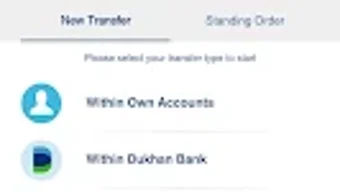
The user interface of Dukhan Mobile is designed with simplicity and functionality in mind, featuring a clean layout that prioritizes accessibility and ease of navigation. Core actions such as checking balances, transferring funds, and paying bills are accessible through intuitive icons and menu paths. The workflow is linear and well-structured, guiding users through multi-step processes—like account opening or card replacement—with clear on-screen instructions.
The app leverages biometric authentication at key access points, reducing friction while maintaining high security standards. Navigation remains consistent across screens, minimizing the learning curve for new users. While specific performance metrics such as CPU or RAM usage were not disclosed, the app’s focus on mobile banking efficiency suggests optimized resource handling.
Stability is implied through the use of secure, layered authentication and the absence of reported crashes in public disclosures. The developer did not specify resource usage details, so actual performance may vary based on device capabilities and network conditions. However, the design philosophy indicates a responsive experience tailored to typical Android smartphones.
Compatibility & System Requirements
Dukhan Mobile is available exclusively for Android devices. The app is designed to run on current and recent versions of the Android operating system, though specific version requirements were not provided. Installation size information is also not available.
The developer did not specify exact hardware requirements such as minimum RAM, processor speed, or storage capacity. Compatibility information was partially provided, indicating that the app is limited to Android platforms. Users should ensure their device meets general Android compatibility standards for third-party banking applications.
The developer did not provide additional system requirements, so installation and operation may depend on the device’s default settings and security policies. It is recommended to install the app only from official sources to maintain security integrity.
Pros and Cons
Pros
- Secure two-factor biometric login for enhanced account protection
- Comprehensive financial management in a single mobile application
- Supports remote account opening with minimal documentation
- Enables cardless cash withdrawals and standing orders for convenience
- Offers integrated bill payment and transfer services for major providers
- Available as a free download on Android devices
Cons
- Exclusive availability on Android, limiting access for iOS users
- No information on system requirements or performance specifications
- Limited to users in regions served by Dukhan Bank
- Biometric login may not be supported on older Android devices
- App functionality is tied to the bank’s ecosystem, reducing portability
FAQ Section
Is Dukhan Mobile available for iOS devices?
The app is currently available only for Android devices. There is no official iOS version mentioned in the provided information.
Is the app free to download and use?
Yes, the app is offered as a free download. No subscription or usage fees were indicated in the provided details.
Can I use the app without a physical bank visit?
Yes, the app allows users to open new accounts and manage finances entirely online, requiring only an ATM card number and PIN for registration.
Does the app support offline functionality?
Specific details about offline capabilities were not provided. Most banking apps require an active internet connection for real-time transactions and data synchronization.
How often are updates released?
Update frequency was not specified. Users are advised to keep the app updated via the Google Play Store for security and feature improvements.
Final Thoughts
Dukhan Mobile presents a modern, secure, and feature-rich solution for Android users seeking to manage their finances on the go. With its robust set of tools—from biometric login and cardless withdrawals to bill payments and remote account opening—it delivers a compelling digital banking experience. The app is ideal for individuals who prioritize convenience, security, and self-service financial control.
While its exclusive Android availability and lack of detailed system requirements may limit broader accessibility, its strengths in usability and functionality make it a strong contender in the mobile banking space. For users within Dukhan Bank’s service area, the app offers a powerful alternative to traditional banking methods. Download Dukhan Mobile now to experience a smarter, more secure way to manage your finances.





.png)

